AI coding agents for people
who aren’t developers.
Describe what you need. Normies plans it, builds it, and verifies it actually works.
Download for Mac (Apple Silicon) →Download for Mac (Intel) →Download for Windows →

You’ve tried everything. Nothing actually worked.
ChatGPT gave you a plan
Step 1: set up a Postgres database. You closed the tab.
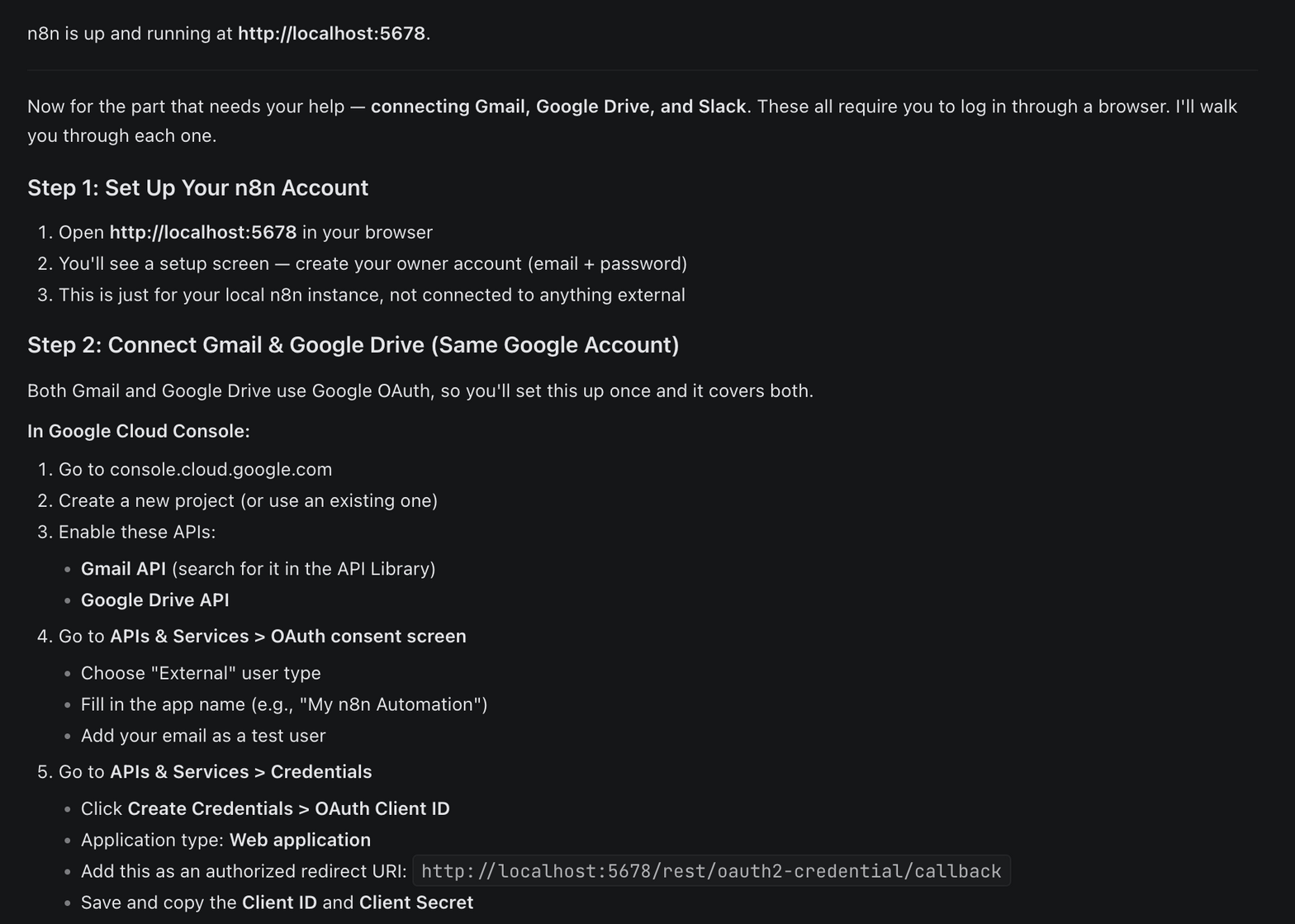
n8n looked simple enough
Right up until the JSON error. Then the OAuth error. Then you were on the Upwork homepage.
Lovable built something
It worked for three weeks. Now it’s 3,000 lines of AI-generated mystery and nobody’s picking up.
These tools all assume you already know the answer. They assume you can formulate specific prompts, catch when the AI builds the wrong thing, evaluate whether the code actually works, and manage a development process you’ve never done before. That’s not a tooling gap. It’s a design failure.
How it actually works
Start with your problem
No jargon. No setup. Just describe what you’re trying to solve in plain English.
I want my employees to be able to ask HR questions and get instant answers from our company docs
Get an honest answer
Normies figures out whether you need to build something — or if an existing tool already does the job. If there’s a $10/month solution, it’ll say so.
I want to monitor my competitors’ pricing pages and get notified when they change.
Good news: you don’t need to build anything here. My recommendation: Visualping. Point it at their pricing pages, it screenshots them on a schedule and pings your Slack channel when something shifts. ~10 minutes to set up. Why it fits: dead simple, no technical skill needed, built-in Slack integration. Want me to walk you through it instead of building something?
Pressure-test before you commit
Before anything gets built, you see the full plan — architecture diagram, task breakdown, time estimates. But here’s the thing: you might not know if the plan is actually good. Hit the Review button and an independent AI critic evaluates the approach. Did it miss something? Is there a simpler way? Are there risks you wouldn’t think to ask about?

is this a good plan?
Honest take: it’s a solid plan for a v1 — but there’s one architectural question worth pressure-testing. How many documents are in your knowledge base? If it’s 50+, pulling all of them on every question will slow responses and hit Claude’s limits fast. You’d want a search layer in between first. If your doc set is small, ship it as-is. Want me to dig into either path?
See the build, not just the chat
Approve the plan and Normies creates a project. Each task runs in its own fresh AI session — no degradation as the project grows. You see every step: what’s running, what’s done, what each task accomplished. Not a chat thread you’re scrolling through hoping it worked. A project dashboard.
Each task has acceptance criteria you defined in plain language. You always know what ‘done’ looks like.
Verified, not just “done”
Tests passing doesn’t mean the feature works. Normies runs a three-layer check: the AI builds toward your acceptance criteria using test-driven development. Then an independent verifier checks backward — does each piece exist, is it real code (not a placeholder), and is it actually connected to the rest of the system? Three agents, three stages, none of them trusts the others.
The planner defines what done looks like. The builder builds toward it. The verifier checks whether it was achieved. Checks and balances, not just testing.
End up with something that actually works
A working solution. A plain-English guide to what was built, how it works, and what to do if something breaks. Not 3,000 lines of mystery code. Documentation you can actually read.

Standing on the shoulders of giants.
Craft Agents
Open-source desktop agent interface by Craft. Session management, permissions, MCP integrations, and a UI built for agent-native workflows. Normies is built directly on top of it.
GSD (Get Shit Done)
Context engineering and spec-driven development for AI coding agents. 12,800+ GitHub stars. Fresh sessions, parallel execution, structured task specs. Normies implements its execution patterns for a visual workflow.
Normies adds the product layer — guided discovery, visible project structure, plan review, three-layer verification, and plain language throughout.
Just to list a few.
MVP scoping
Validate whether your idea needs custom software — and get a buildable plan if it does
Employee Q&A bot
Connect Google Drive docs, deploy on WhatsApp or Slack, answer questions instantly
Monthly revenue reconciliation
Pull Stripe data, match it against your CRM, flag discrepancies for finance
Gmail to CRM pipeline
New lead email comes in, contacts get created, follow-up sequence fires automatically
Competitor monitoring
Watch pricing pages, get Slack alerts the moment something changes
Call note automation
Sync Gong summaries to Salesforce opportunities, no rep action needed
These happen to be common ones. Normies runs on the most powerful AI coding agents available — Claude Code and OpenAI Codex. If you can describe your problem in plain English, it can help you solve it. And if an existing tool already solves it, Normies will tell you that too.
Decisions, not features.
Fresh sessions per task
AI quality degrades as conversations get longer. Every task in Normies runs in its own isolated session. Task #15 gets the same quality as task #1.
Don’t Build gate
Before recommending custom code, the system considers whether a SaaS tool or existing integration already solves the problem. The best outcome for you isn’t always ‘we build something.’
Plain language, always
‘Where your data lives’ — not ‘database.’ ‘The part that handles logins’ — not ‘authentication middleware.’ Errors are explained. Difficulty is flagged honestly.
Graduated trust
Three permission modes. Start read-only (Explore), upgrade to approval-per-change (Ask to Edit), then full autonomy (Execute). You’re never surprised by what happened while you weren’t looking.
Normies is for you if:
- You’ve thought “this should be automated” about the same task at least ten times
- You’ve opened n8n or Zapier, spent two hours, and closed the tab
- You want to understand what’s being built, not just hope it works
- You have an idea for a tool or workflow but no idea where to start
Not for you if:
- You want AI to run everything autonomously while you sleep
- You’re a developer looking for a coding assistant (y’all got enough tools already)
- You’re in a locked-down corporate environment that restricts app installs
Ready to actually finish something?
macOS · Windows · Requires a Claude/OpenAI subscription or your own API keys
View source on GitHub →